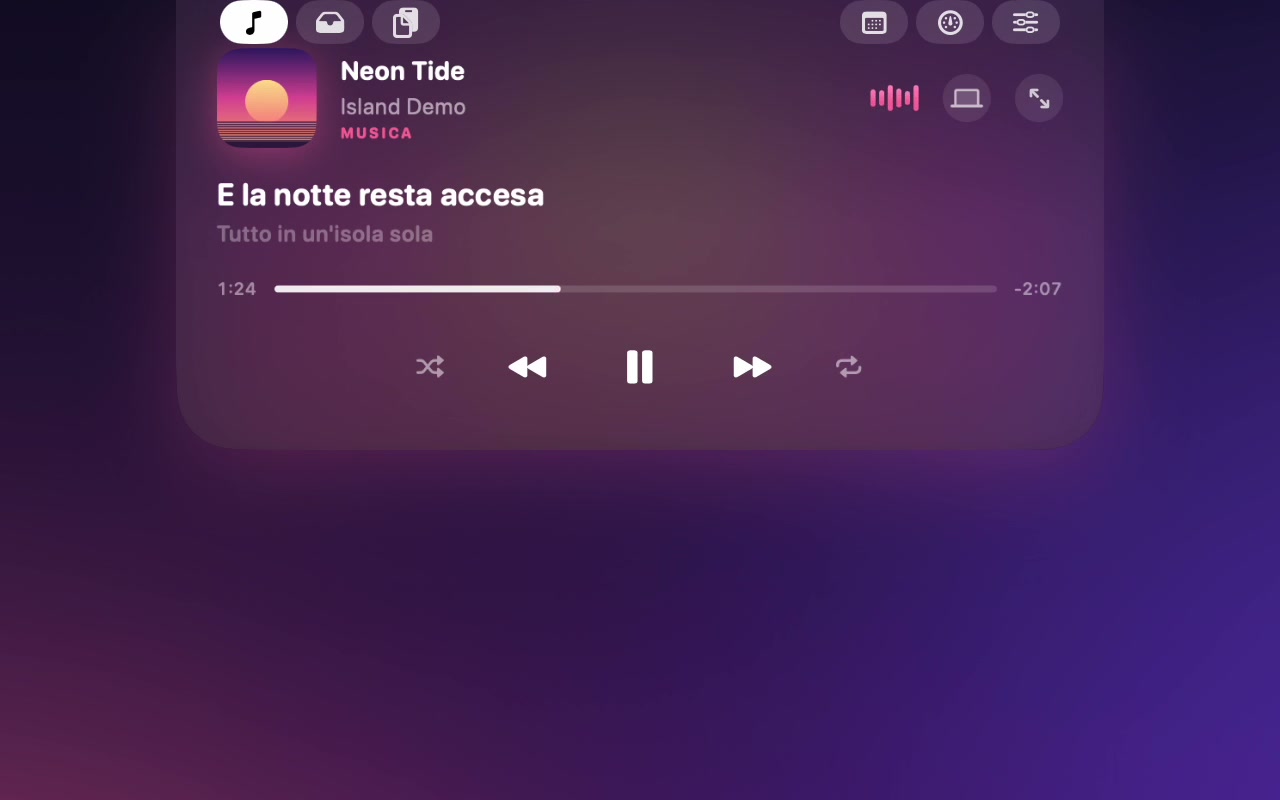
Music from any app
Spotify, Apple Music, YouTube in the browser: Island reads the system's now playing, with artwork, synced lyrics, seek bar and a visualizer driven by the real audio.
The MacBook notch, turned into a live surface. Island shows the song playing in any app, your AirPods battery, the next meeting and what you just copied, then gets out of the way. I built it as a lighter, open alternative to paid notch apps.
On a MacBook the notch takes a slice of the menu bar and gives nothing back. Notch apps fix that, but the good ones are paid, closed, and ask for broad access to the Mac. I wanted one I could read line by line.
Spotify, Apple Music, YouTube in the browser: Island reads the system's now playing, with artwork, synced lyrics, seek bar and a visualizer driven by the real audio.
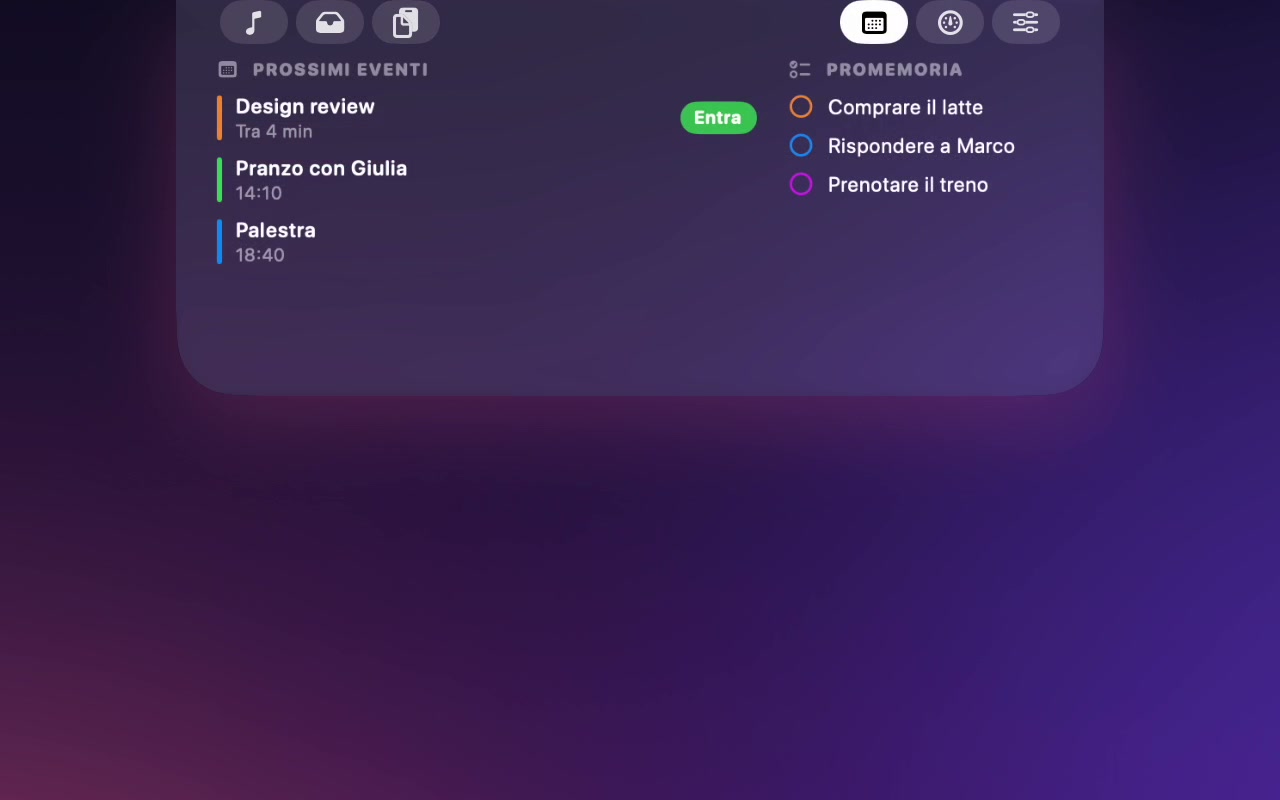
Next events with a one-click Join for Meet, Zoom and Teams, today's reminders you can tick off, and a heads-up five minutes before a meeting.
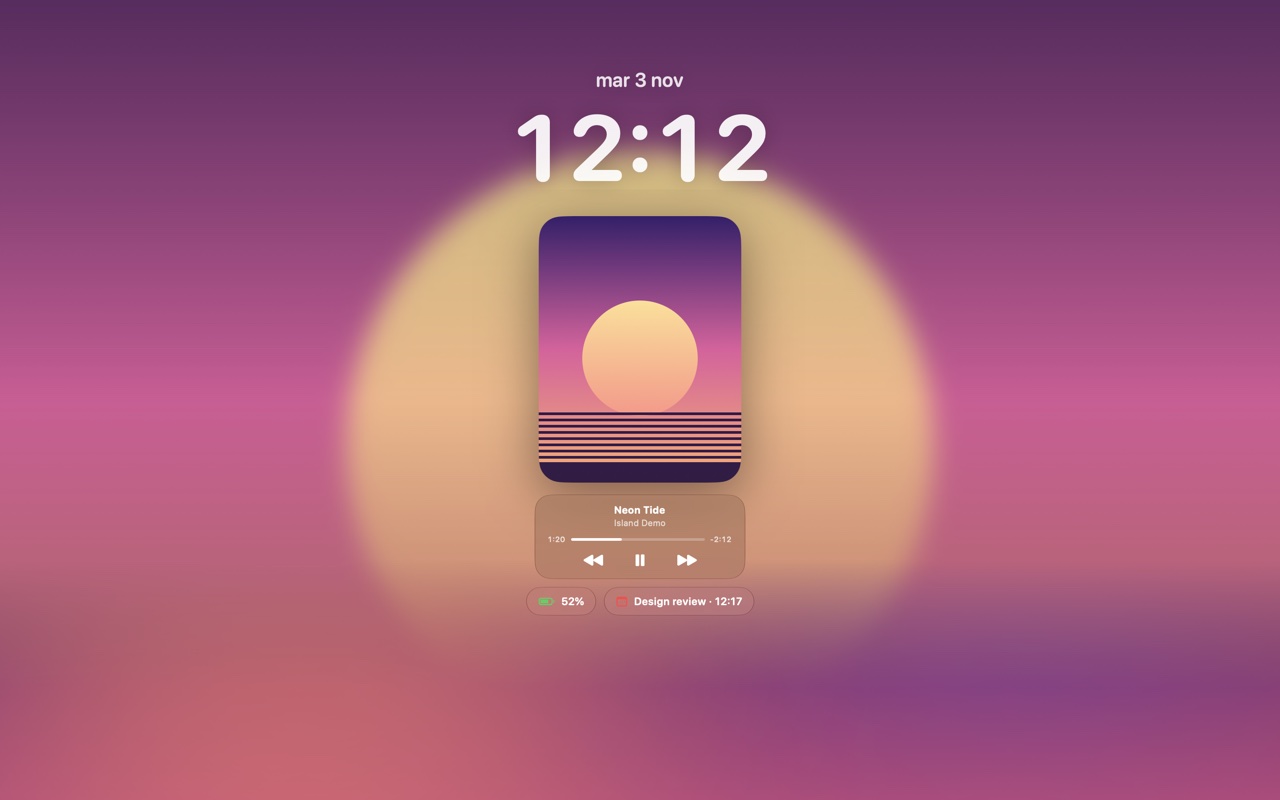
Like on the iPhone: the whole lock screen takes the album artwork, in high resolution, with a tall cover, a small glass player, battery and the next event.
3D earbuds that spin in, with left, right and case battery when your AirPods connect.
Drop files on the notch, pick them up later or send them with AirDrop.
The last 25 things you copied, a colour picker, and a quick note that stays.
Turn Chrome down without touching Spotify.
Five bands with vertical sliders and presets, for the whole Mac or a single app.
CPU, memory, disk and network, sampled only while you look.
Wi-Fi, Bluetooth, dark mode, keep awake, timers, brightness and volume.
Unlock animation, volume, brightness, keyboard light, Caps Lock, Focus, mic and camera in use, screen recording, network.
Black, glass or tinted by the artwork, glass settings too. Compact or large, fast or soft animations, pick your music app.
Island is free and not signed with a paid Apple certificate, so macOS asks you to confirm it once.
If macOS says the app is damaged, run this once in Terminal, then open it again: xattr -dr com.apple.quarantine /Applications/Island.app
Version 2.2. The interface is in Italian.
Before opening it, you can make sure the file is exactly the one published here. In Terminal, in the folder where you saved it:
shasum -a 256 Island-2.2.dmg
The result must be identical to this fingerprint. If even one character is different, don't open the file.
1224882b4c59df1db356dff71bf2e0f8949224469bce26da76a1a3b64bc2e144
Source code: b3c286471ee8927a1089b72ed038d4c7339af25996aad48472c1793bcd7bbc3c · SHA256SUMS.txt
Liquid Glass needs macOS 26; on older versions the island is black. Free software under the GNU General Public License v3.0, with no warranty. Credits: Atoll and boring.notch (GPL-3.0), mediaremote-adapter by ungive (BSD-3-Clause).
Half the features rely on parts of macOS with no public documentation: the system now playing, window layers above the lock screen, audio taps per app. The hard part was not making them work, but making them fail safely when a permission is missing.
Song, artist, events, files and clipboard in the video and screenshots are demo data, made up for presentation.