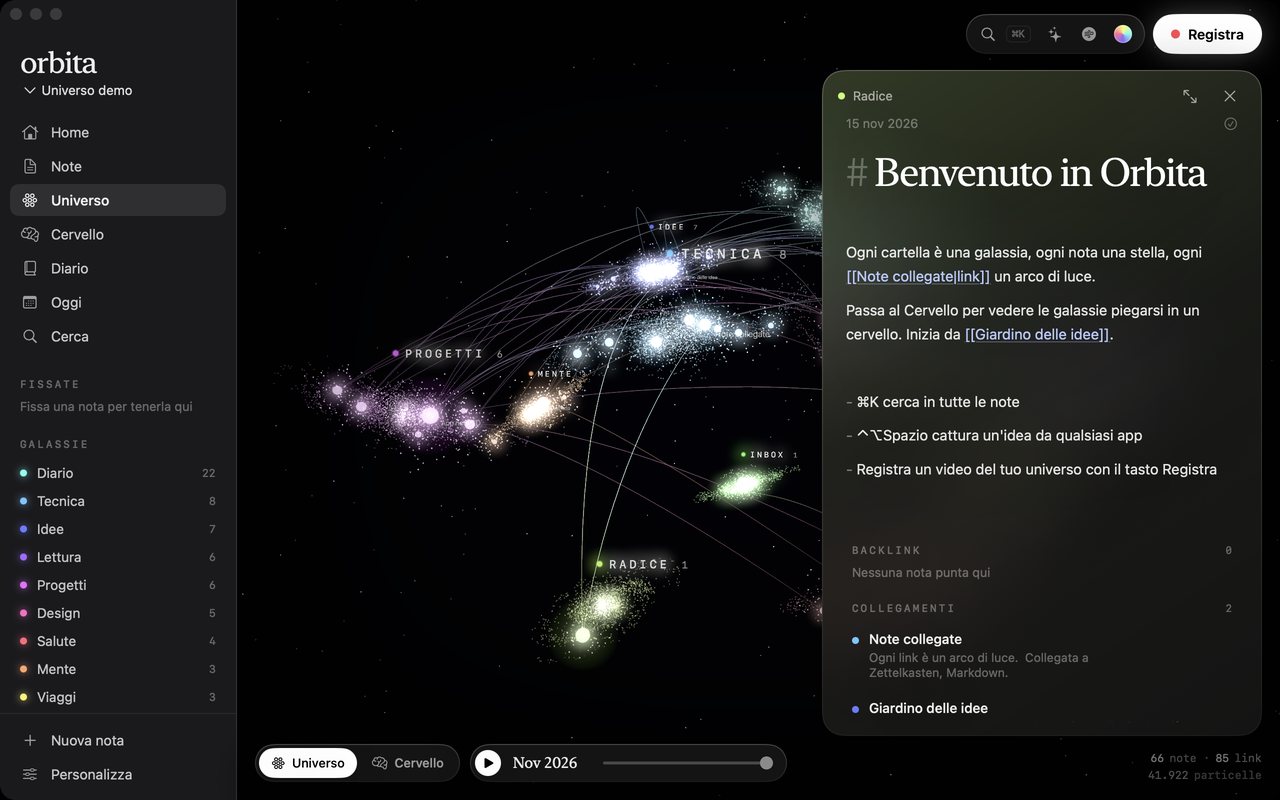
The universe
Each folder is a spiral galaxy and each note a star, larger the more links it has. Open one and light runs along its links; notes with no links drift at the edge.
A second brain that lives on the Mac. It opens the Obsidian vault you already have, draws it in 3D, answers questions about it in charts, and lets Claude read and write it.
Download Orbita ↓See the landing page
Preview build, not yet notarised by Apple. If macOS blocks the first launch, open System Settings, Privacy & Security, and click Open Anyway.
Folders and lists hide how ideas connect, so old notes stop coming back. Second brains like Obsidian keep everything but show little: a flat graph you look at once. I wanted the map to be the app, opened every day on the vault people already have, with the links visible, the forgotten notes in view, and questions it can answer.
Each folder is a spiral galaxy and each note a star, larger the more links it has. Open one and light runs along its links; notes with no links drift at the edge.
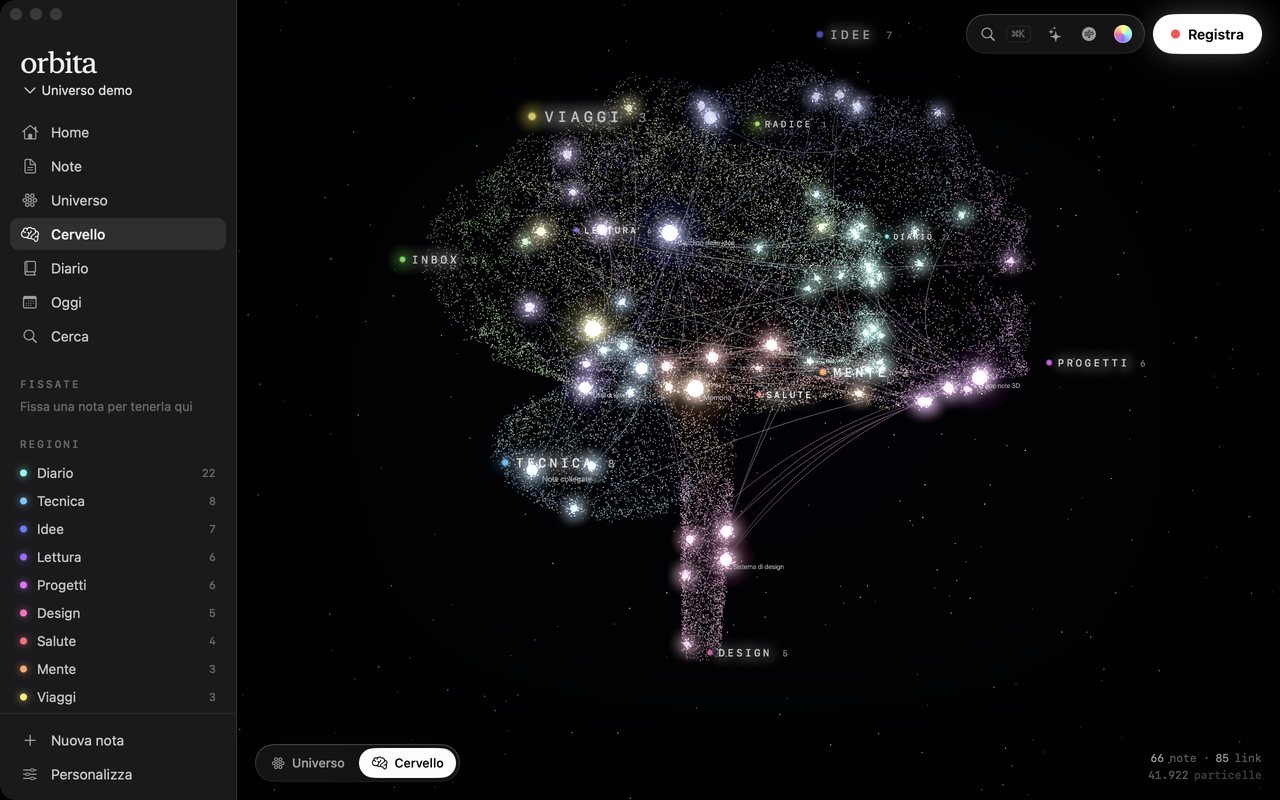
The same particles fold into a brain. Each folder takes a region; every particle carries both positions, and the GPU blends them with a staggered spiral so the shape assembles instead of jumping.
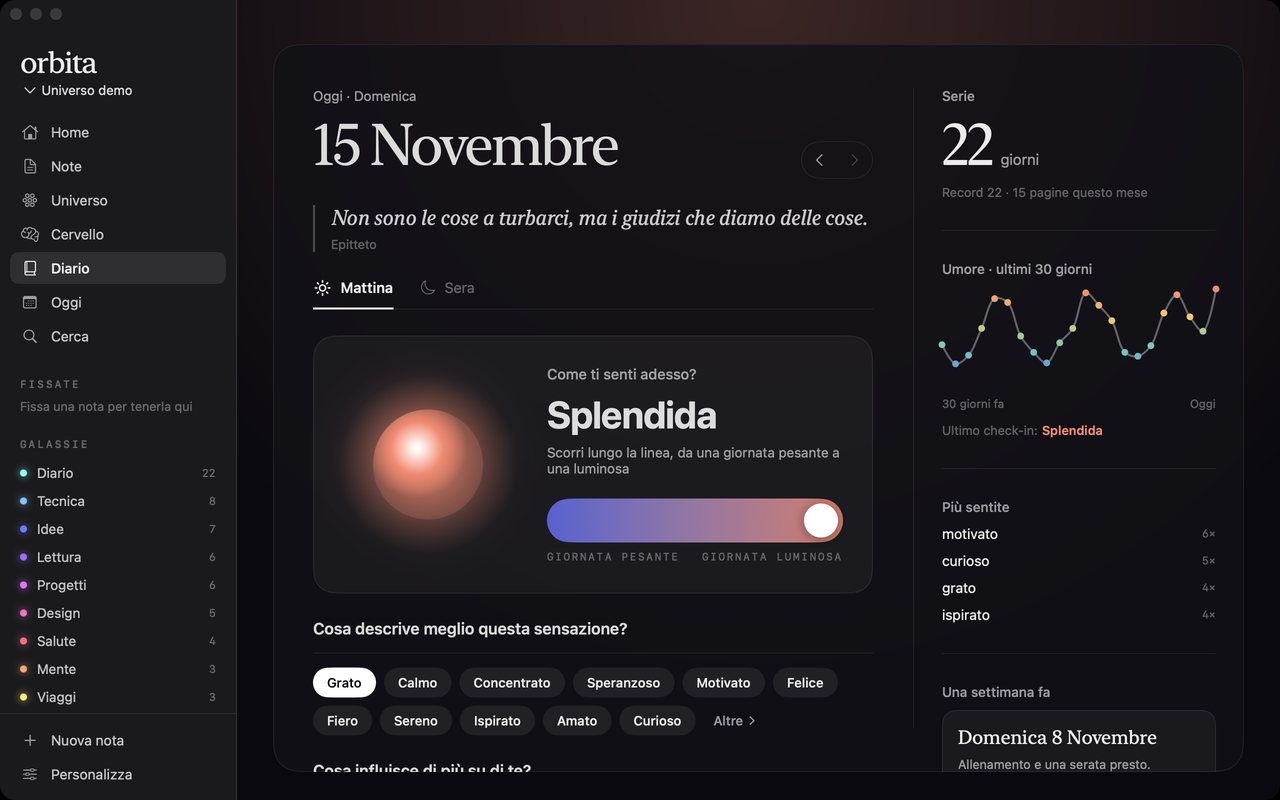
Three questions in the morning and three in the evening, a mood slider, a 30-day curve and a streak, all saved as plain Markdown in the same folder.
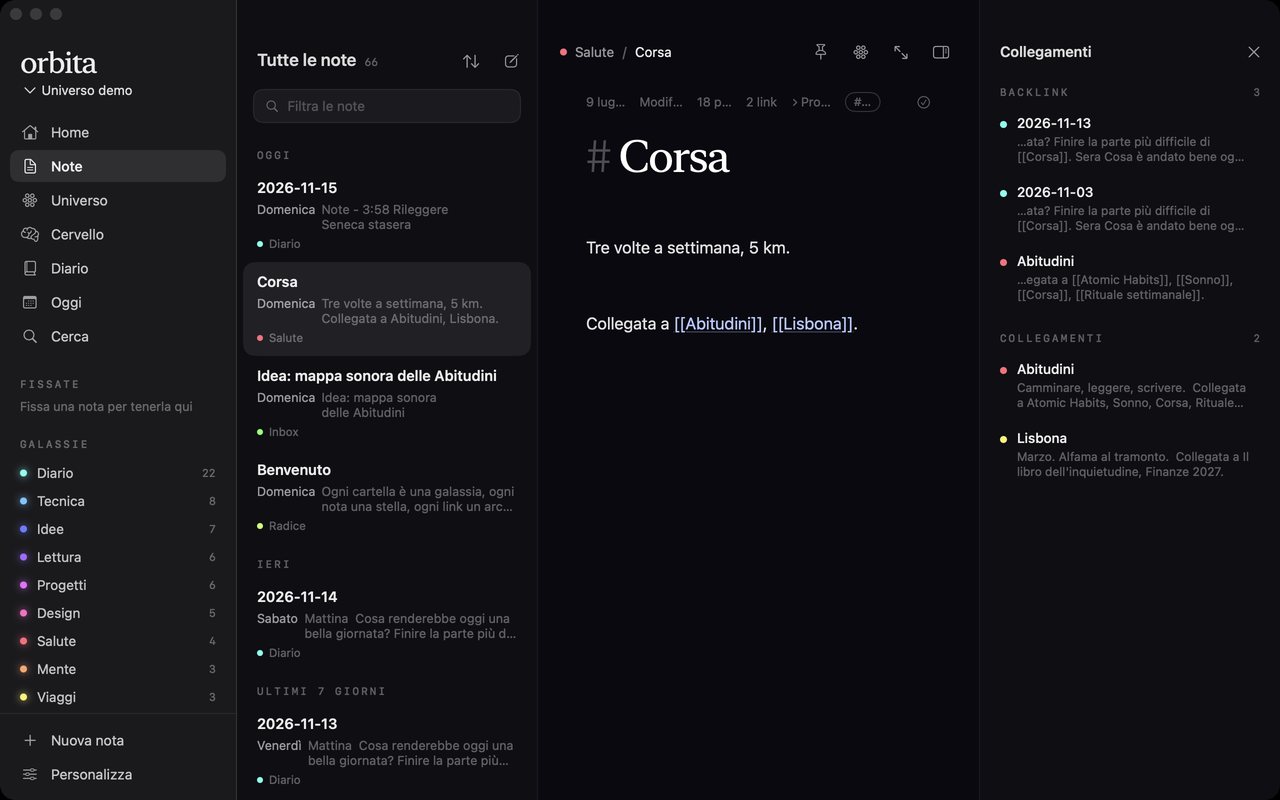
A Markdown editor with [[link]] autocomplete, backlinks and unlinked mentions. Started with --mcp, the app becomes an MCP server: Claude searches and writes notes, and the open window shows the change.
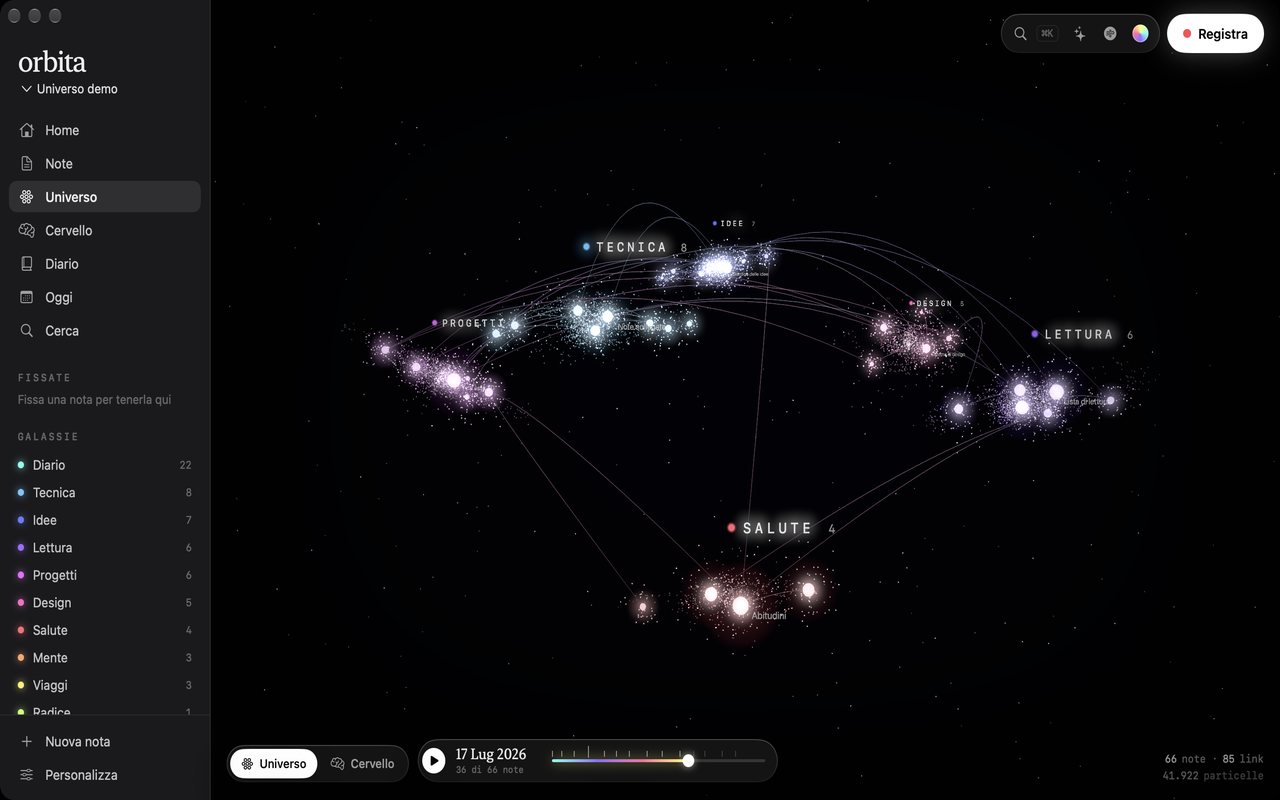
Drag the bar under the universe and it goes back to any day: each note lights up on the day it was written, with a detent you feel on the trackpad at every month. On Sundays a weekly review sums up notes, links and mood, then replays the week in the universe.
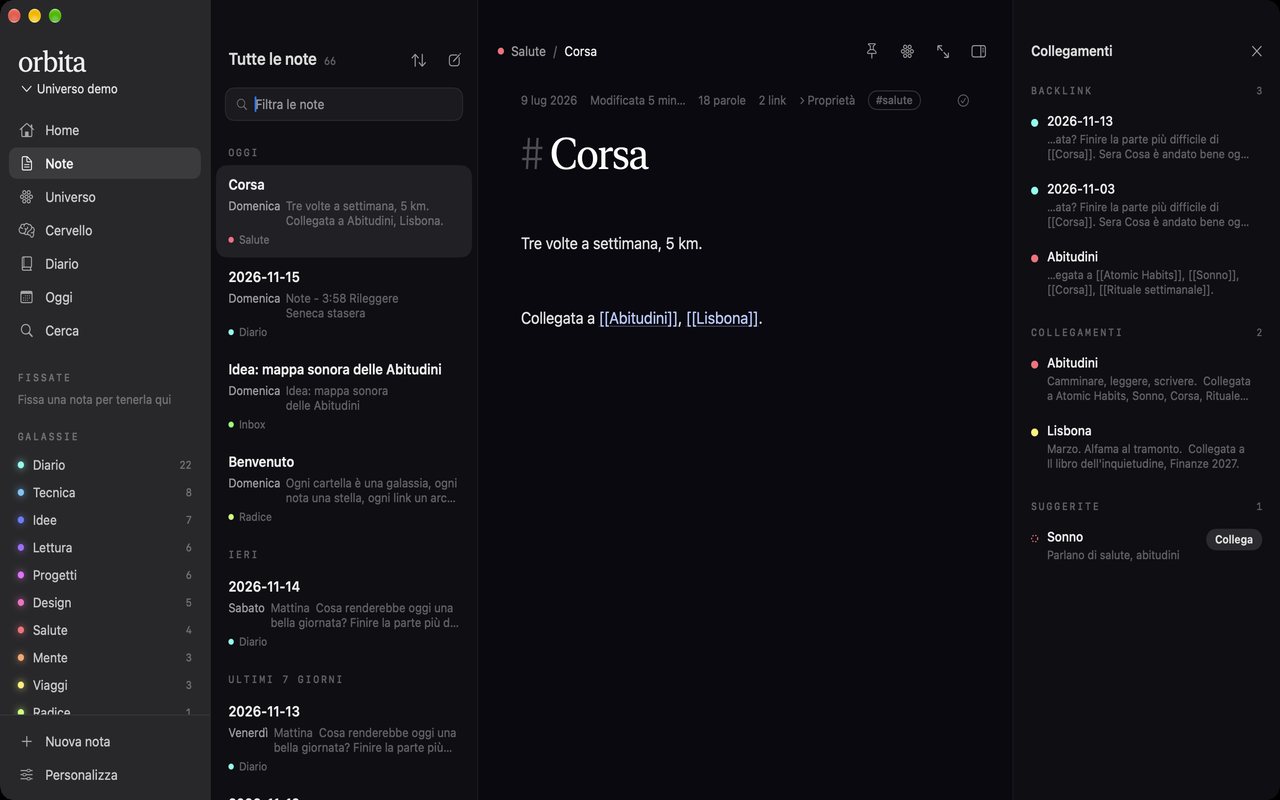
Orbita compares notes on the Mac, with Apple's sentence embeddings and TF-IDF, and suggests the links that are missing, with the words both notes share. One click writes the link, and Command-Z takes it back.
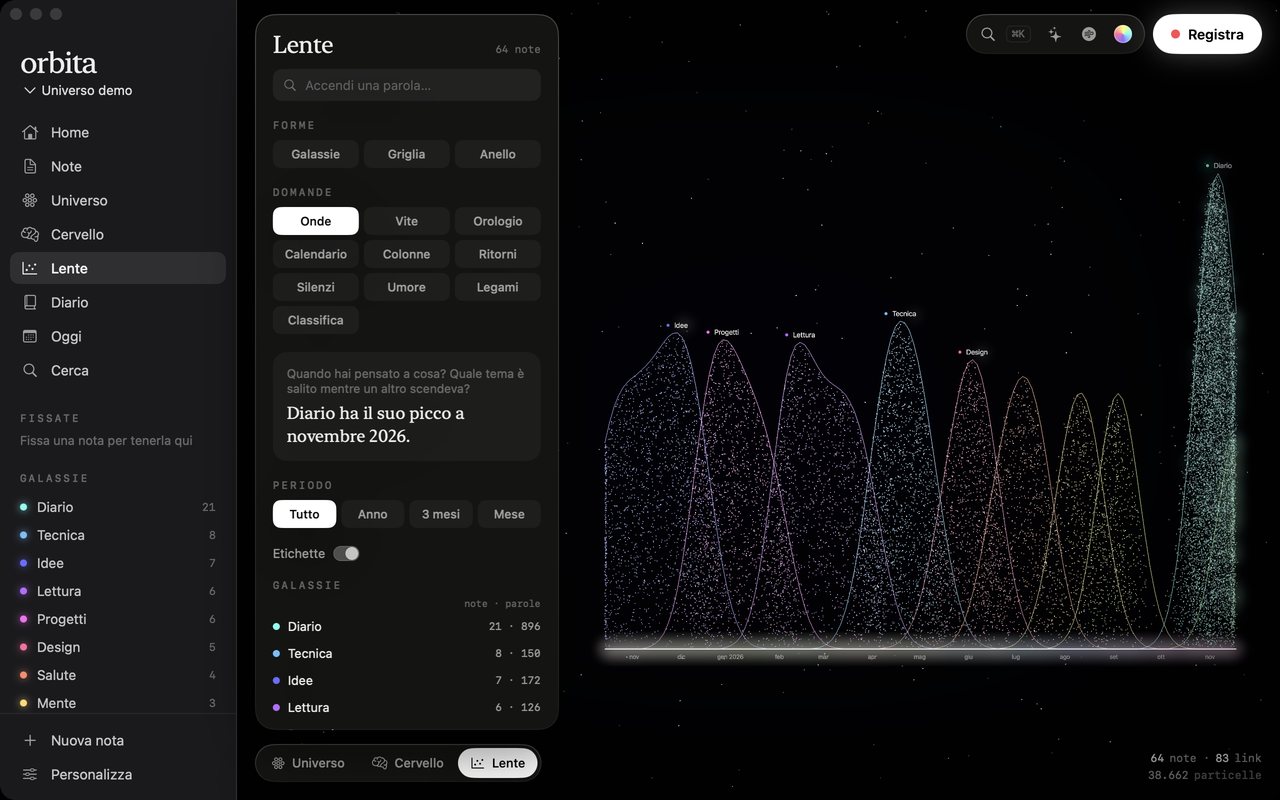
The same particles rearrange into thirteen charts: waves of topics over time, the hours you write, a calendar of streaks, the notes you came back to, the galaxies that went quiet. Each one answers its question in a sentence computed from the vault, and the particles fly from one chart to the next.
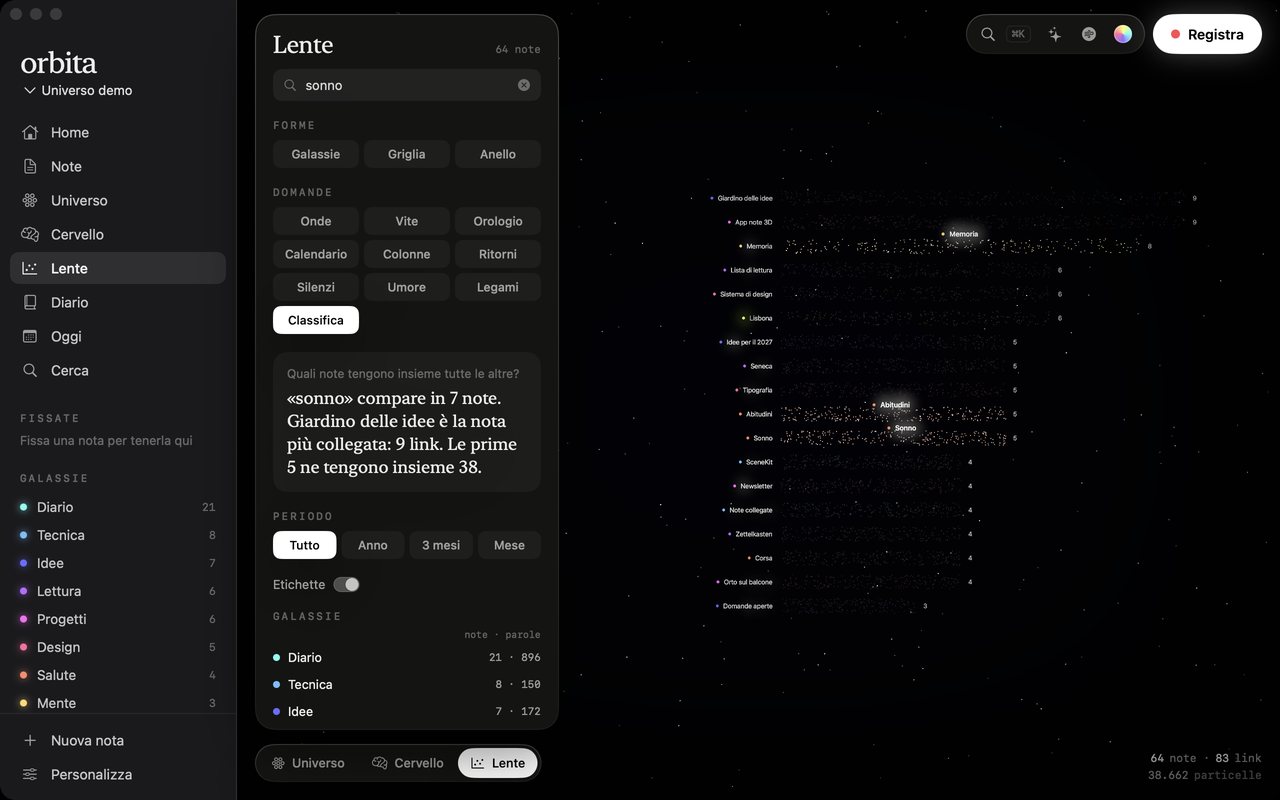
Type a word and the notes that contain it light up wherever they sit in the chart, with their titles. A button finds the Obsidian vaults already on the Mac and opens one in place: nothing is copied, and both apps keep working on the same files.
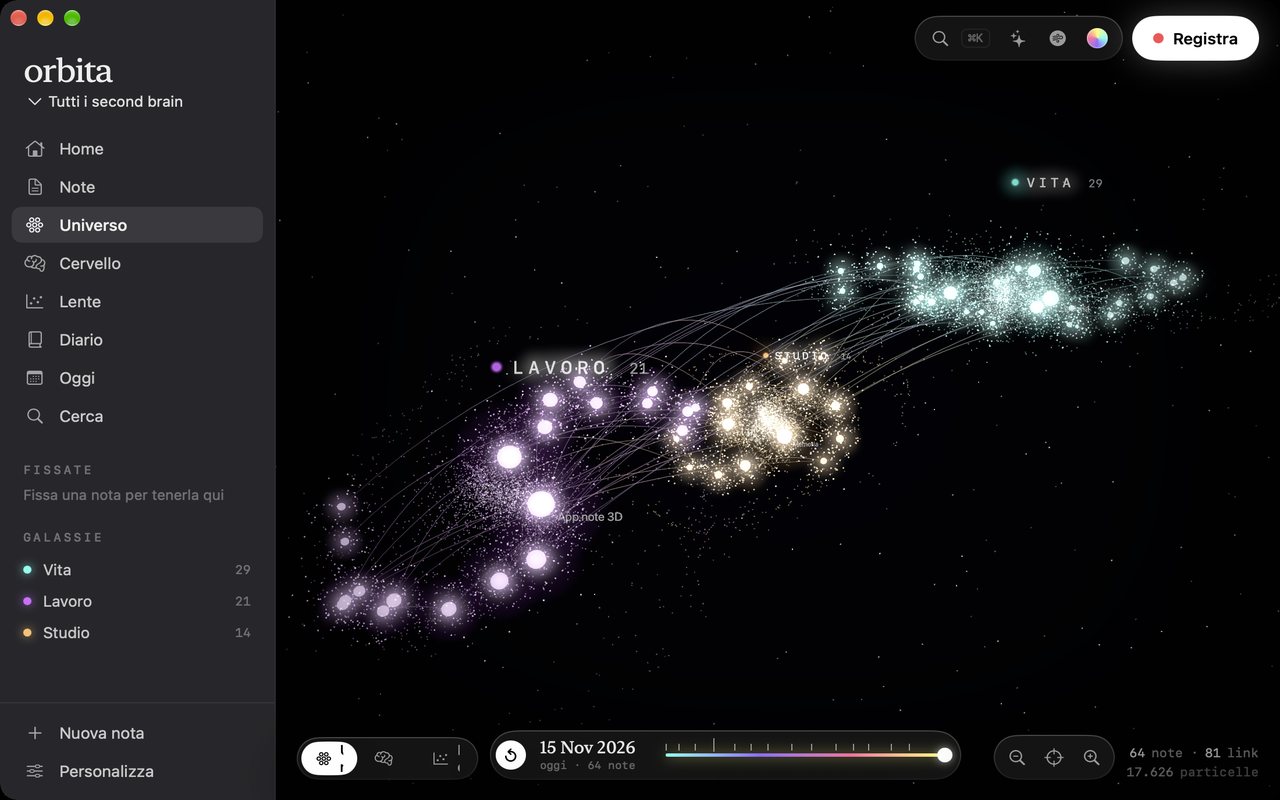
Keep one second brain for work and one for life, each in its own folder. Open them together and each becomes a galaxy with its name on it; the brain gives each a region, and the lens compares them. A new note asks where it goes, with one button per galaxy.
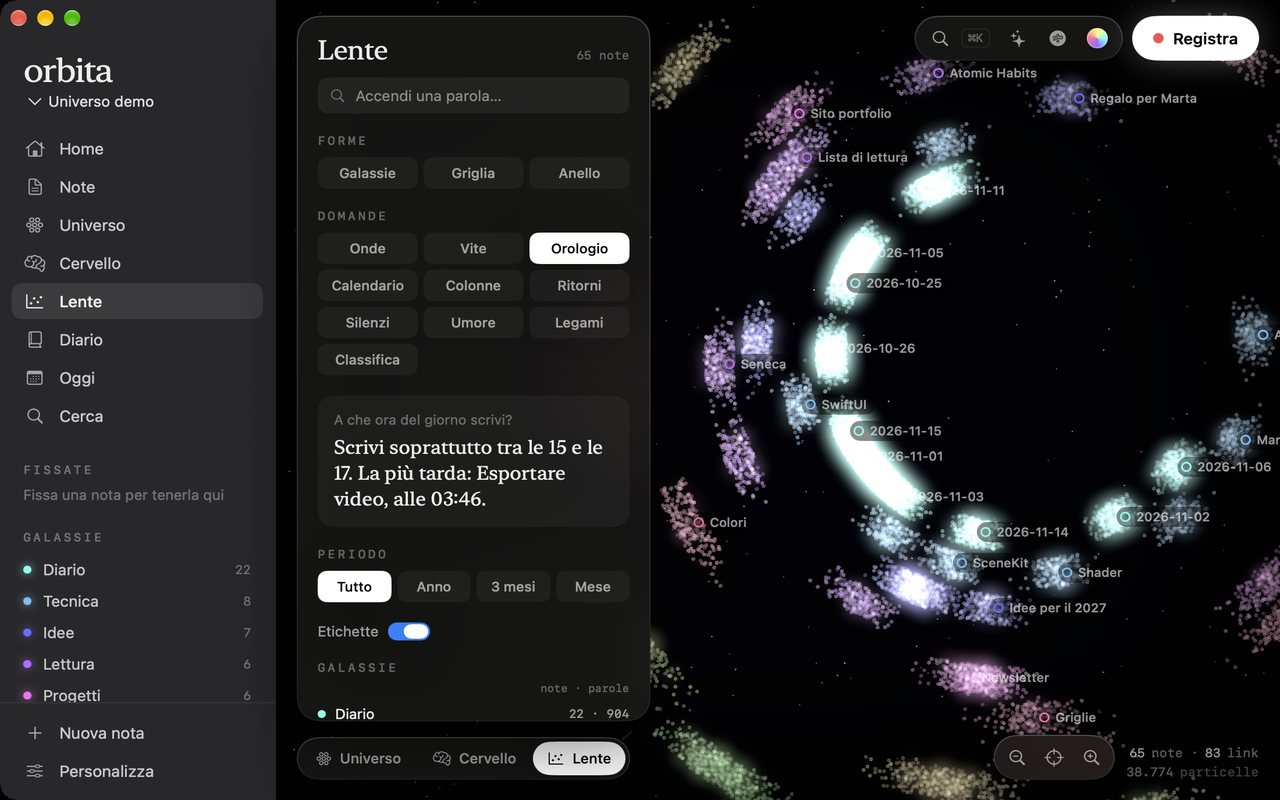
Every view zooms toward the cursor and pans with two fingers, and the dots grow as you get closer. Close up in the lens, each note's particles carry its name, and notes on the same spot share one label that opens a list. In the note panel, arrows walk through the rest of the galaxy.
The product page ports the app's geometry to WebGL: the same spiral galaxies, the same brain and the same staggered blend, driven by scroll instead of a button. It was designed with the Hallmark skill and checked against its lint, with one accent colour and no invented numbers.
I wrote the motion and design rules down before building (when to animate, how long, which easing, one accent colour) and rejected ideas that failed them, which cut more effects than it added. The bugs that mattered only showed up by using the running app: a right click the 3D view swallowed, a note edited by Claude that the open editor would have overwritten. Each one became a fix and a check I now repeat.
0.5 keeps several second brains, one per area of life, each in its own folder; opened together, each becomes a galaxy with its name on it, and the lens compares them. Every view now zooms toward the cursor and pans with two fingers, and the dots grow as you get closer, so a single note is easy to pick; 0.5.1 adds arrows in the note panel to walk through the notes of one galaxy, and 0.5.2 asks where a new note goes with one button per place: today's diary, each galaxy, or a new one. 0.5.3 puts note names on the lens charts when you zoom in, and updates itself: it checks a signed version file on launch and every half hour, sends a macOS notification, and installs with one click. 0.6 speaks English as well as Italian and adds a light theme and Apple's Liquid Glass, chosen in onboarding or Settings; the 3D views stay at night. 0.7 makes the universe a place to enter: a flight in on launch, nebulae around each galaxy, an evening sky tinted by the journal's mood, linked notes orbiting the one you open, and synapses firing between notes. It also answers questions from your notes with Apple's on-device model, takes dictation, turns dropped links, PDFs and pictures into notes, suggests where Inbox notes belong, brings back forgotten ideas and reminds you of dates written in notes. 0.4 connected Orbita to Island, my notch app: a thought typed in the notch lands in Inbox already linked, clipboard items and screenshots save with one button, the evening mood goes into the journal from four buttons, an alert says when Claude wrote a note, and a meeting note is one click from the calendar alert. Island talks to Orbita on the Mac only, through a windowless command and system notifications. 0.3 added the lens with thirteen charts, word search across them, picture and CSV export, one-click import of an Obsidian vault, and a lighter engine that draws only when something moves. 0.2 had brought the guided tour, the iPhone companion, the widget, Siri, Spotlight and 120 Hz motion. Next: Developer ID signing and notarisation so the download opens without a warning, and a way to sign the app for other Macs.
The notes, journal entries and mood shown are a demo vault made for presentation. The particle count is the real one for that vault.