← All projects
Case study, Mac app
Marea
Your messages arrive with the tide. Twice a day Marea brings to shore only the people waiting for an answer, keeps the Mac silent in between, and drafts the replies. Above the sea, your services shine as stars.
- Role
- Design and development
- Platform
- macOS, Apple silicon
- Built with
- Swift, AppKit, WebKit, three.js, SQLite, Apple Foundation Models, Claude Code
Download Marea ↓See the landing page
Preview build, not yet notarised by Apple. If macOS blocks the first launch, open System Settings, Privacy & Security, and click Open Anyway. To read messages Marea asks for Full Disk Access, and only reads. The interface is in Italian.
2tides a day, at the hours you choose, with one alert instead of fifty
73services in the star catalogue, read from their public status pages
0messages sent without your click on Send
The message that matters gets lost.
I opened WhatsApp to check whether there was something, and found an okay, a newsletter and a verification code. Back at work, my head was already somewhere else. The message with the question, the one that needed me, was buried in the middle, and I answered it two days late. Turning notifications off did not help either, because then I was afraid of missing what was urgent. Marea is my answer: let everything arrive, but show me only who is waiting, at two moments I choose.
What I built
One sea, six ways to answer less often and better.
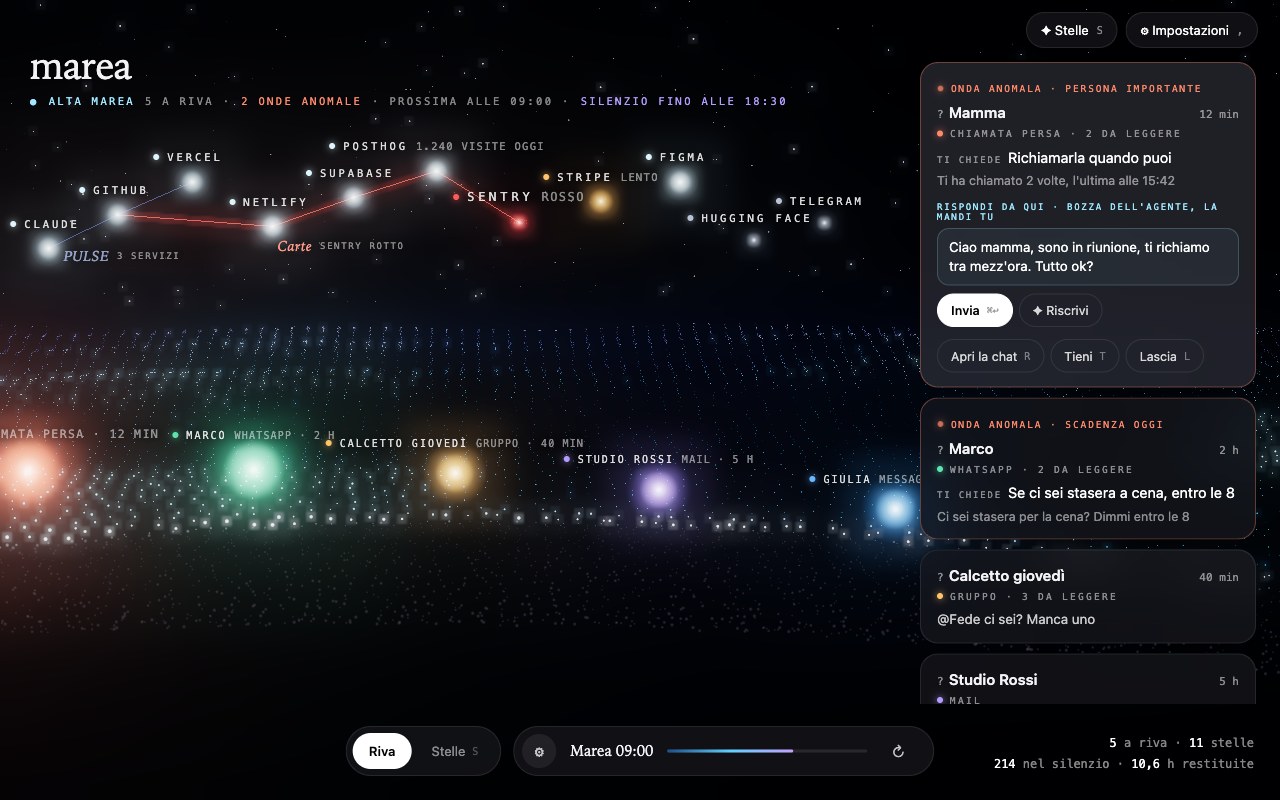
The shore
WhatsApp, group chats, Mail, Messages and missed calls arrive in one sea. Marea reads the unread messages straight from the apps' databases on the Mac, read only, and drops what asks nothing of you: thanks, okays, emoji, newsletters, codes, automatic notices. In groups it keeps only who names you or asks you something. Each conversation that stays is a light on the shore, with one line on what it asks.
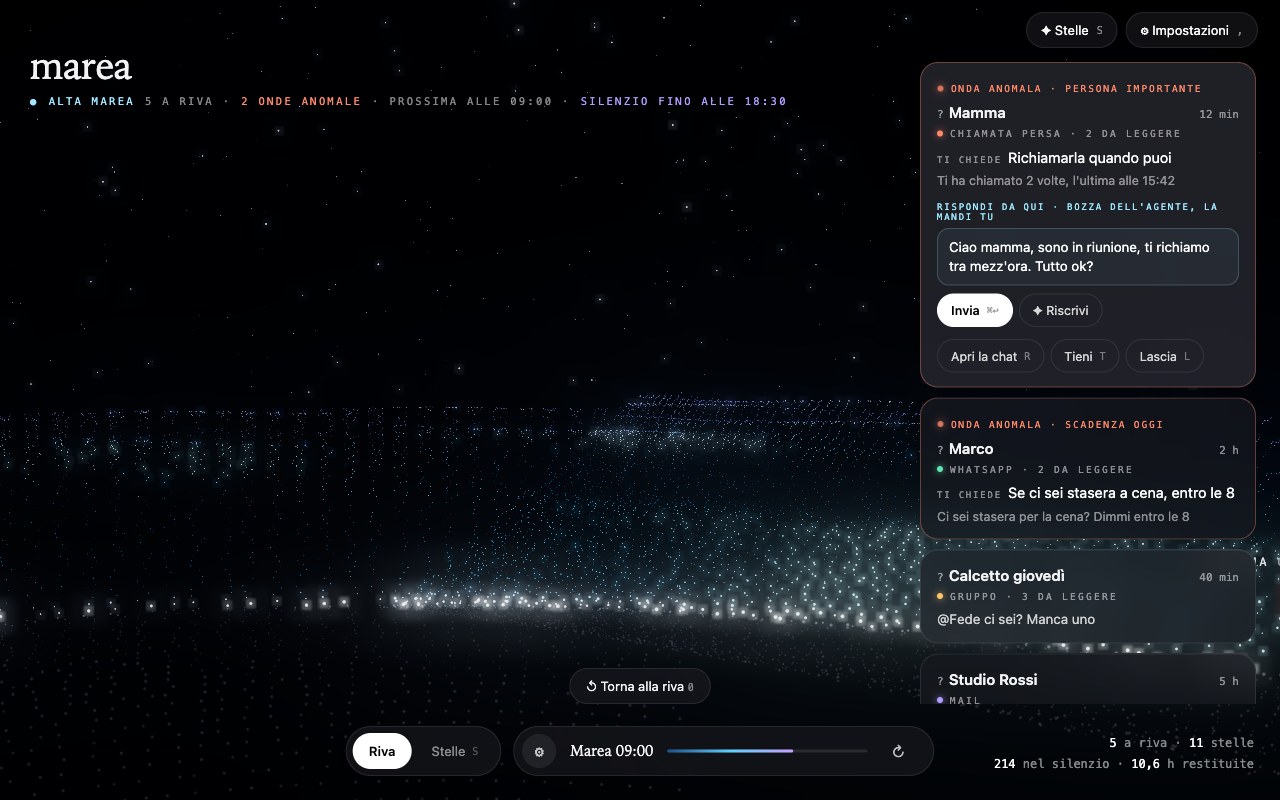
A sea all around you
The scene is a sea of particles under a night sky. Two fingers on the trackpad turn the camera, a pinch zooms, and the sea goes on to the sides and behind you. One key brings you back to the shore. J and K move through the messages, R opens the right chat, T keeps a message, L lets it go.
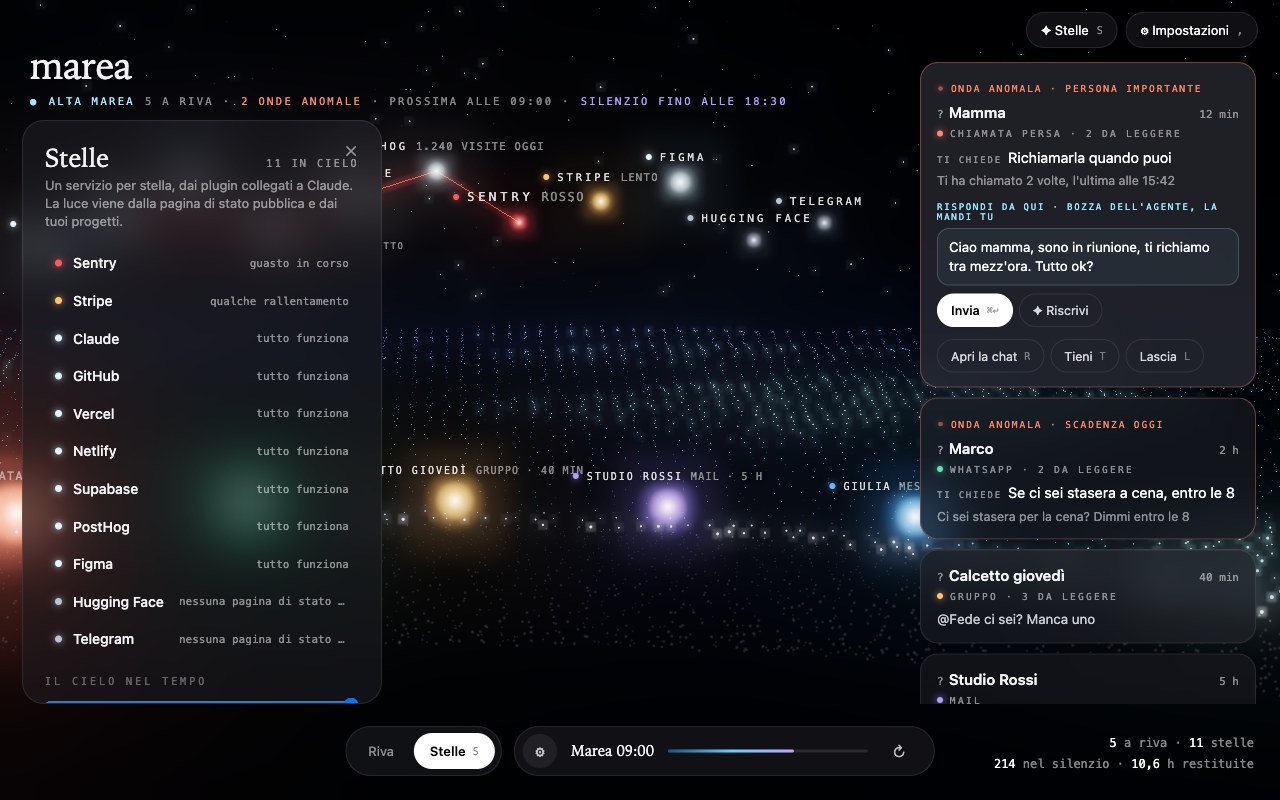
Your services as stars
A catalogue of 73 services, from GitHub to Stripe, reads each service's public status page; the services your projects use light up by themselves. Connect an account and you see every project with its own light; the token stays in the Mac's Keychain. Projects become constellations, a failed deploy falls as a shooting star, Stripe breathes with revenue, and a time bar takes the sky back two weeks.
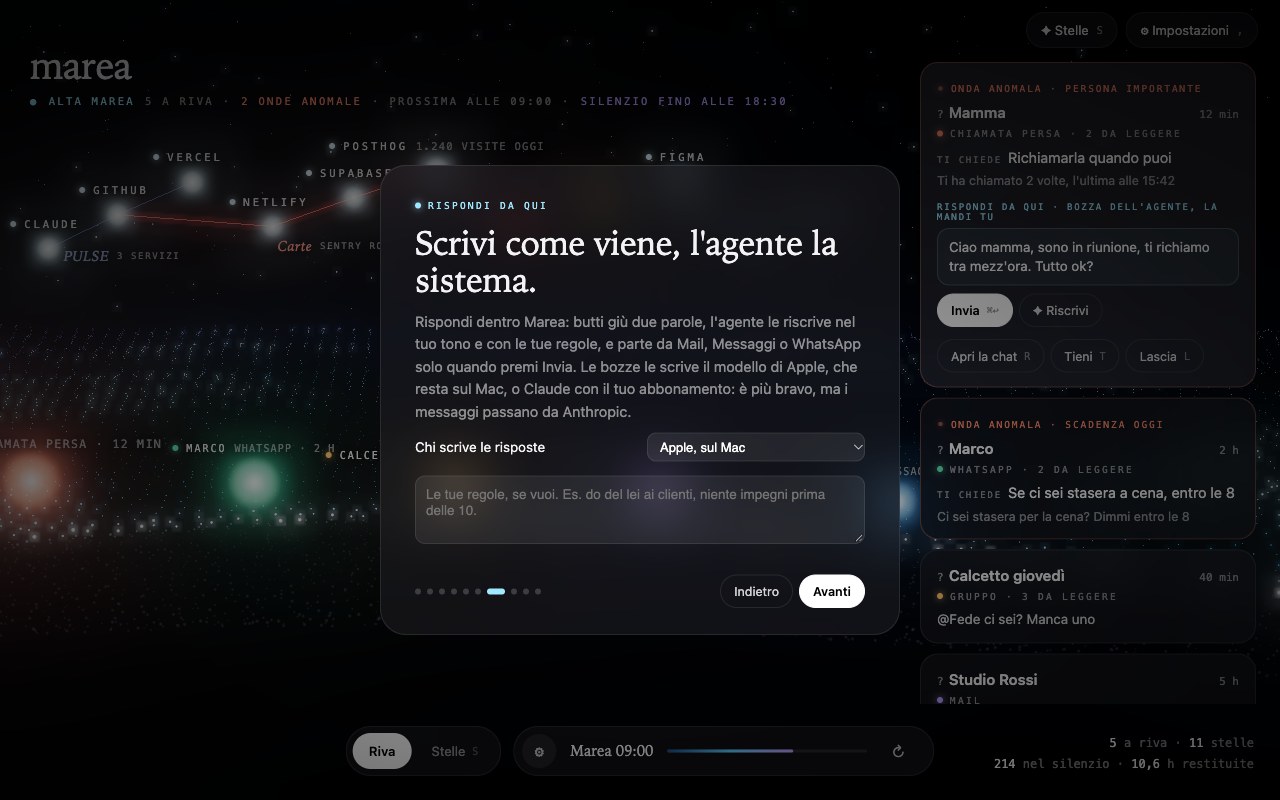
Reply from here
Write two words and the agent rewrites them in your tone, with your rules, such as using the formal you with clients. Then press Send and it leaves from Mail, Messages or WhatsApp. You choose who writes: Apple's model, which stays on the Mac, or Claude through your own Claude subscription. Nothing leaves without your click.
Silence, and the rogue wave
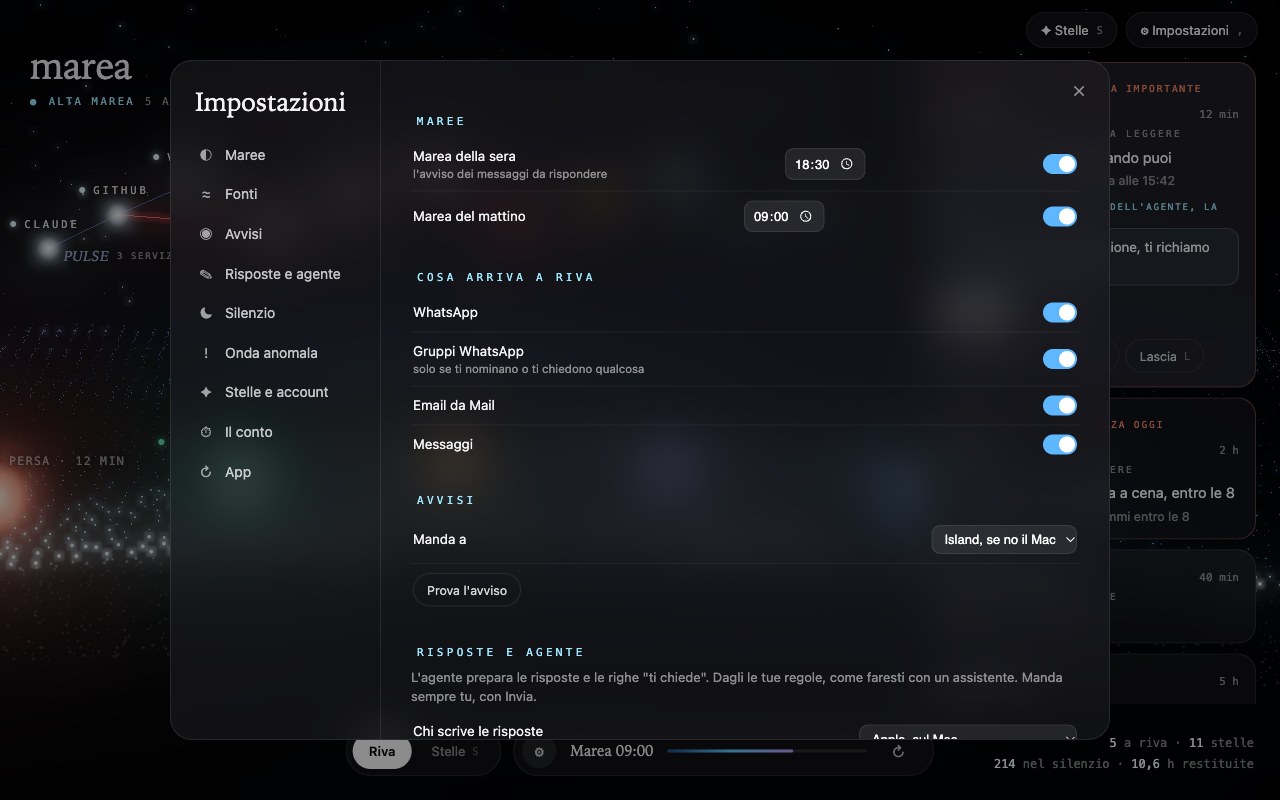
Between the morning and the evening tide Marea turns on Do Not Disturb, so nothing rings. What cannot wait still gets through: the people you pick, anyone who writes urgent, a deadline today, three messages in a row, two missed calls. Every Sunday the tide brings the real count of messages that arrived in silence and the hours it gave back.
What changed, version by version
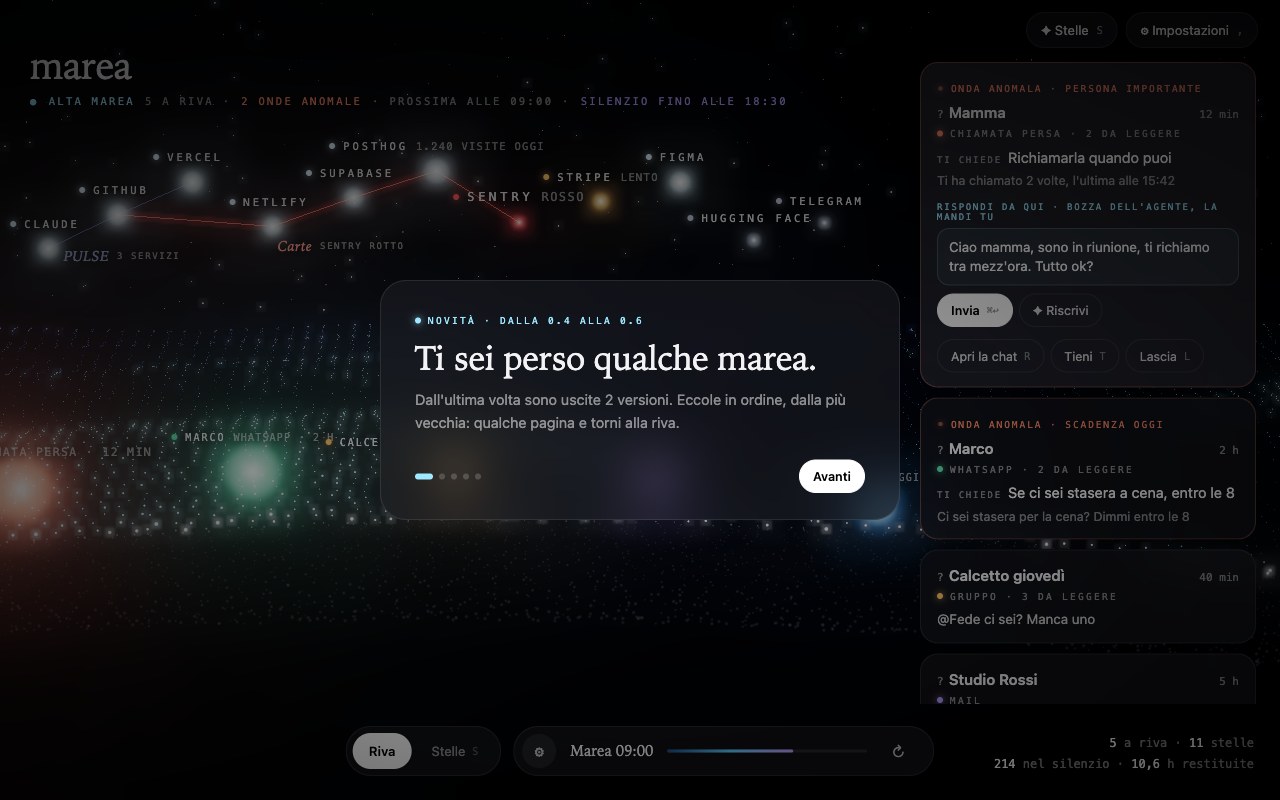
Marea updates itself. The first time it opens after an update it shows a few pages on what is new, in the style of the first-launch guide. If you skipped versions, it shows all of them in order, from the oldest you missed. A new install gets the guide instead.
The landing page
Benefits you can count.
The landing page leads with the noise, not the app: how often people check their phone and how long it takes to get back to work after an interruption, with sources. A calculator turns your own habits into the hours Marea gives back, with deliberately low numbers. Then the features scroll along a tide line that fills as you read, and ten messages dissolve into the three questions that actually need an answer. The page is in Italian, like the app.
Key decisions
Six decisions that shaped it.
- Read the Mac, not the cloud. No accounts to connect and no server. Marea reads the WhatsApp, Mail, Messages and call history databases already on the Mac, read only, and only the unread messages count. Anything you have read and left is not a debt.
- The private model by default. Apple's on-device model reads each conversation: whether it asks something, whether it is urgent, what it asks and a draft. Claude is a choice in the settings, through the Claude Code app and the user's own subscription, and the settings say plainly that the messages then pass through Anthropic.
- Nothing leaves without your click. Mail and Messages send through their own apps. WhatsApp has no way for other apps to send, so Marea opens the right chat with the text written, and presses Return only after checking that WhatsApp is in front and the field holds exactly that text. Otherwise it says so and you press it.
- Silence through Shortcuts. macOS does not let an app switch Focus on its own, so Marea installs two signed shortcuts once and runs them at each tide. It is less elegant than an API, and it is the only way that respects the system.
- A background agent that does almost nothing. A launchd job wakes every two minutes and first compares the modification times of the databases; if nothing changed it stops there. Stars and model readings run every fifteen minutes. That brought the CPU use from noticeable to negligible.
- One page for app and site. The interface is one HTML file with a three.js scene, served from inside the app bundle through its own URL scheme. The landing page and the screenshots on this page come from the same file running on demo data. The app is built with swiftc, with no Xcode project, and updates itself from a file signed on this site.
What I learned
Wow is easy. Trust is the work.
The first version was a realistic 3D beach, and it looked fake; the particle sea came after I threw it away. But the harder part was not the look. It was making every promise on the landing page true: silence that really silences, urgent messages that really get through, a reply that really leaves from the right conversation and never from the wrong one. Each of those took more code than the scene.
What's next
Version 0.6 is a preview. Next, the tide in the notch.
Marea is signed with a self-made certificate and not notarised by Apple, so macOS asks for confirmation on first launch. It updates itself and shows what changed at each version. Next: the tide arriving in the Mac notch through Island, more sources such as Telegram and Slack, Gmail read directly, and notarisation.
People, messages, services and numbers shown are demo data made for presentation.